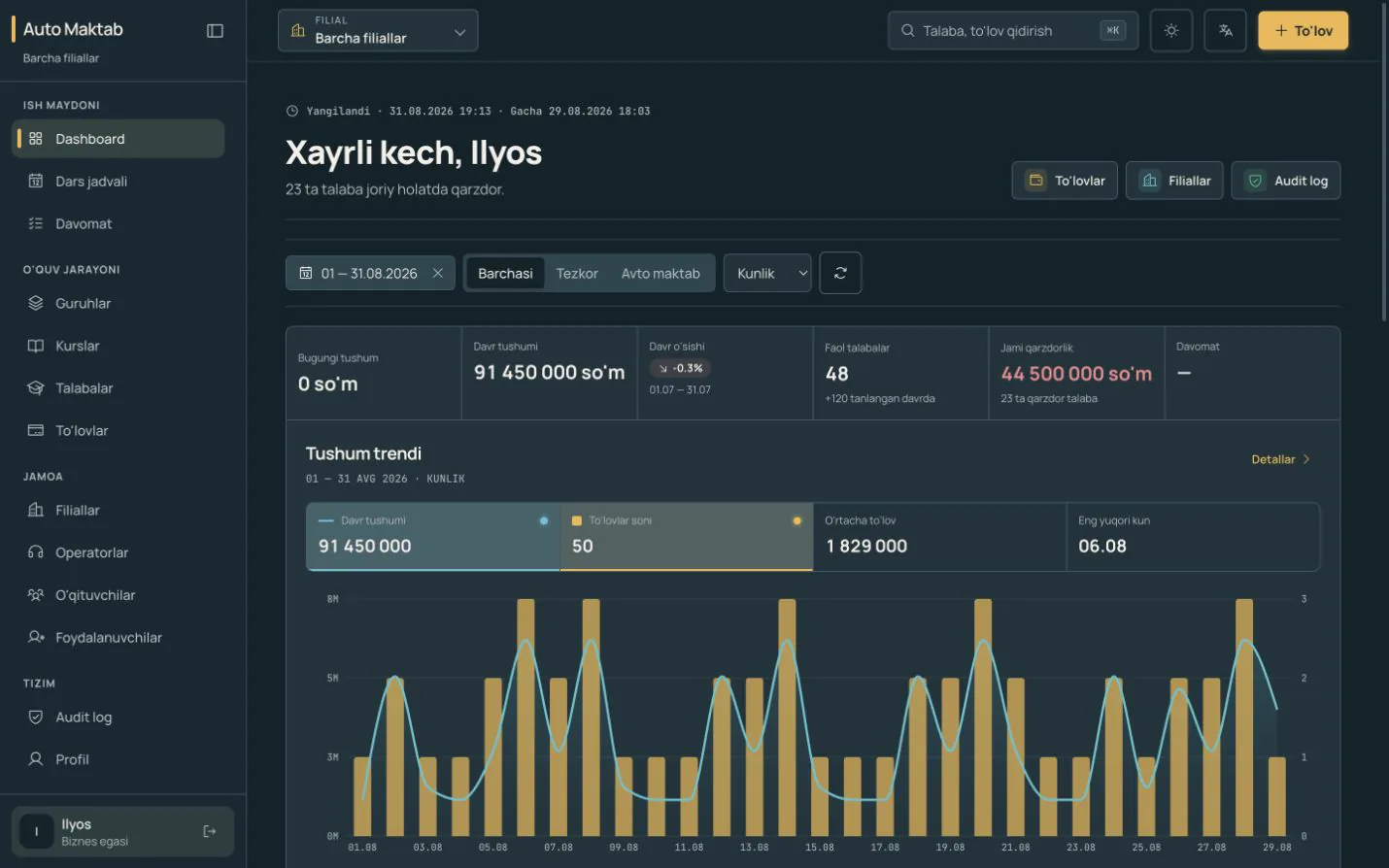
A driving school handles a large amount of daily information: students, payments, debt, lesson schedules, and attendance. The problem is not a lack of data. It is that the data is scattered across Excel, paper logs, and separate notes.
This guide explains what a driving school CRM can do based only on workflows that already exist in the product. It does not promise future features or unverified capabilities.
Why does fragmented management cost so much time?
Excel can be a useful starting point for payments. A paper register records attendance. A separate calendar holds lesson times. But when an owner needs the whole picture, someone has to assemble all three sources again.
Even straightforward questions start taking time:
- what revenue was recorded today or during a selected period;
- which students have debt;
- when a specific group has its next lesson;
- who attended the latest lesson;
- how branch results compare.
The purpose of a management system is to answer these questions in one working space.
1. Connect payments and debt to the student record
In automaktab.uz, each payment is connected to the relevant student record. Students with debt can be viewed separately. The owner sees period revenue and total debt on the dashboard, while an operator works with the daily payment flow.
The system does not collect money and does not replace a bank. Its job is to keep recorded payments orderly and make the debt position visible.
2. Keep students, groups, and branches in one structure
Students are managed by course, group, and branch. A student’s core details, group relationship, and payment history do not need to live in separate files.
The owner view can compare existing branch results in one place and show the overall situation.
3. See the weekly lesson schedule in one calendar
The weekly calendar presents the group, teacher, time, and lesson type in one consistent format. Theory and practical lessons are distinguished in the same schedule.
This reduces the need to search through chats and paper notes and presents schedule data in a consistent order.
4. Record digital attendance for every lesson
Attendance is attached to a specific lesson. Every student can receive one of four clear statuses: present, late, absent, or excused. The recorded result remains alongside the lesson roster.
A manager can see the status of today’s lesson without finding a paper register, using a visible and verifiable attendance record.
5. Use a role-appropriate workspace
The current product separates working areas for owners, managers, operators, accountants, and teachers. Each person works in the parts of the system closest to their responsibilities.
This helps a team work in an orderly way instead of sharing one common login.
How should a school move away from Excel and paper logs?
There is no need to move everything at once. Start with the workflow that creates the most friction in daily control.
- Review the current student, group, and payment records.
- Open the synthetic demo and inspect the dashboard, schedule, attendance, and payment flow.
- Decide which role each team member should use.
- If the workflow fits, evaluate it with real work during the 30-day trial.
The demo does not require a phone number or a request form. It opens immediately with synthetic data, so the decision can be based on the product itself rather than a presentation.
A short conclusion
The main value of a driving school CRM is not another spreadsheet. It is bringing fragmented information into one operating view. When payments, debt, groups, schedules, and attendance live in one system, an owner sees the situation sooner and the team works from the same information.
The simplest next step is to open the automaktab.uz synthetic demo and inspect the workflow that matters most to your school.